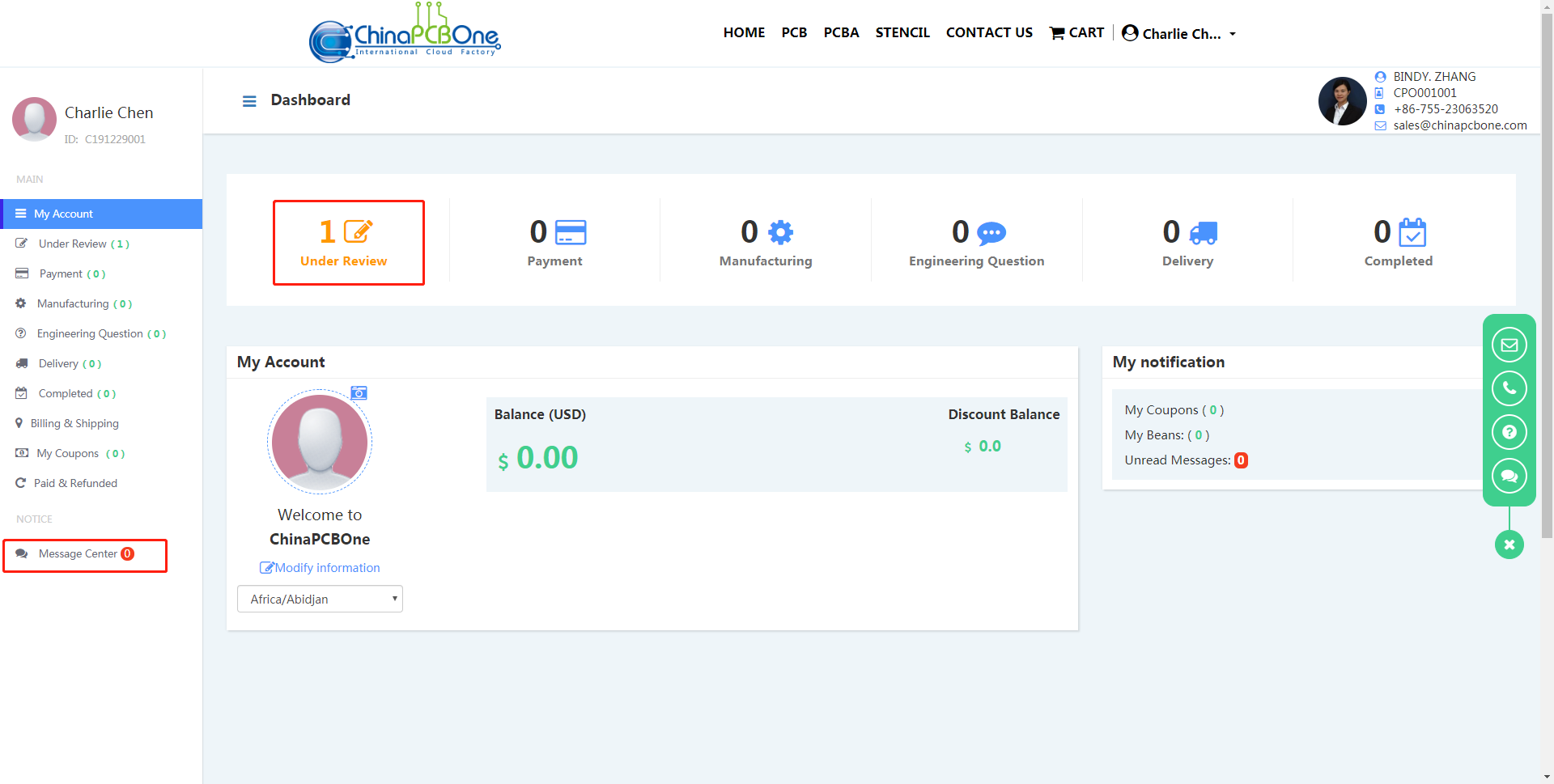
Placing Orders
-
(1) Choose the type of order you want! E.g. PCB

-
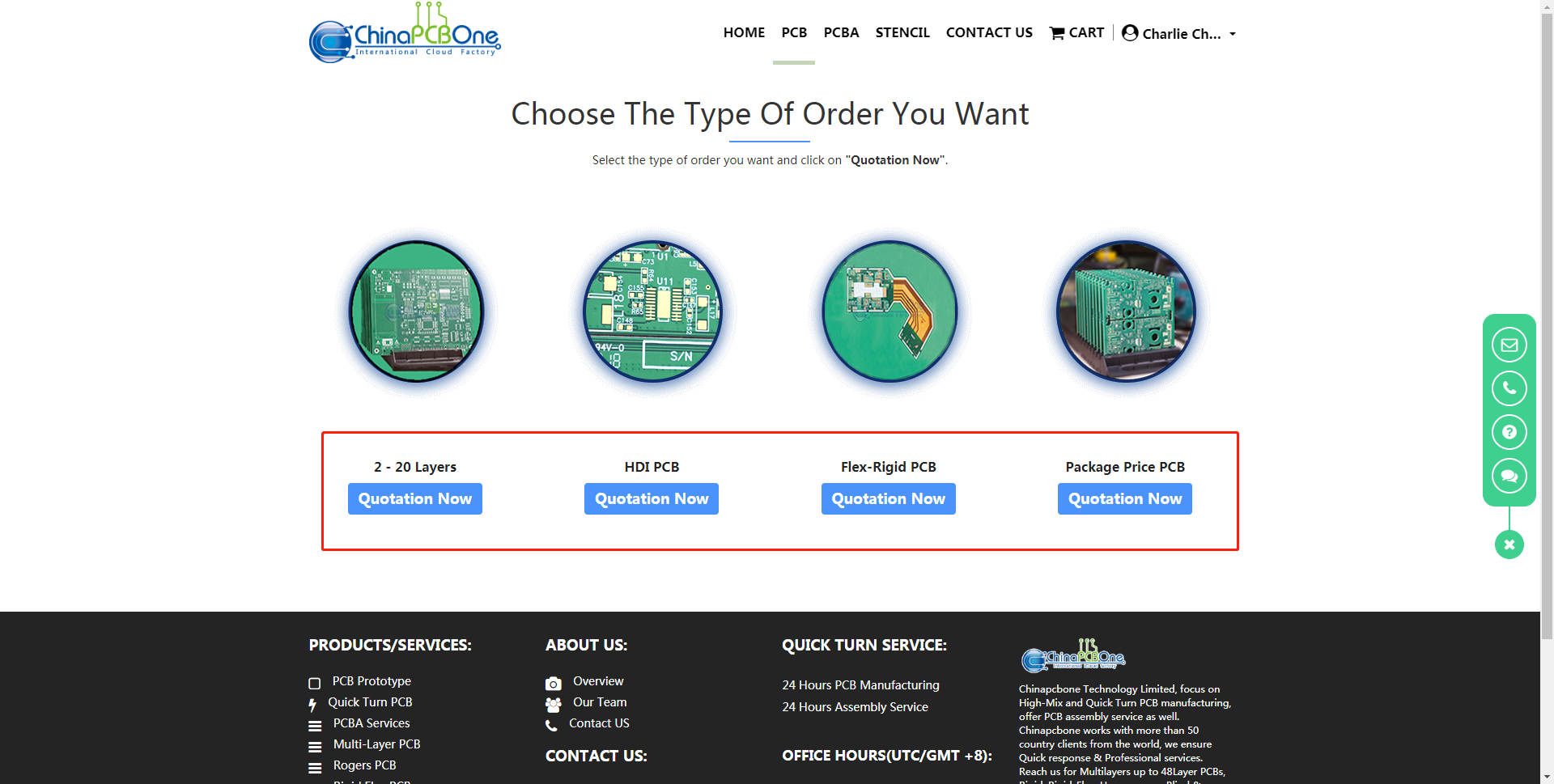
(2) Choose the type of PCB you want, such as 2-20 layers
-
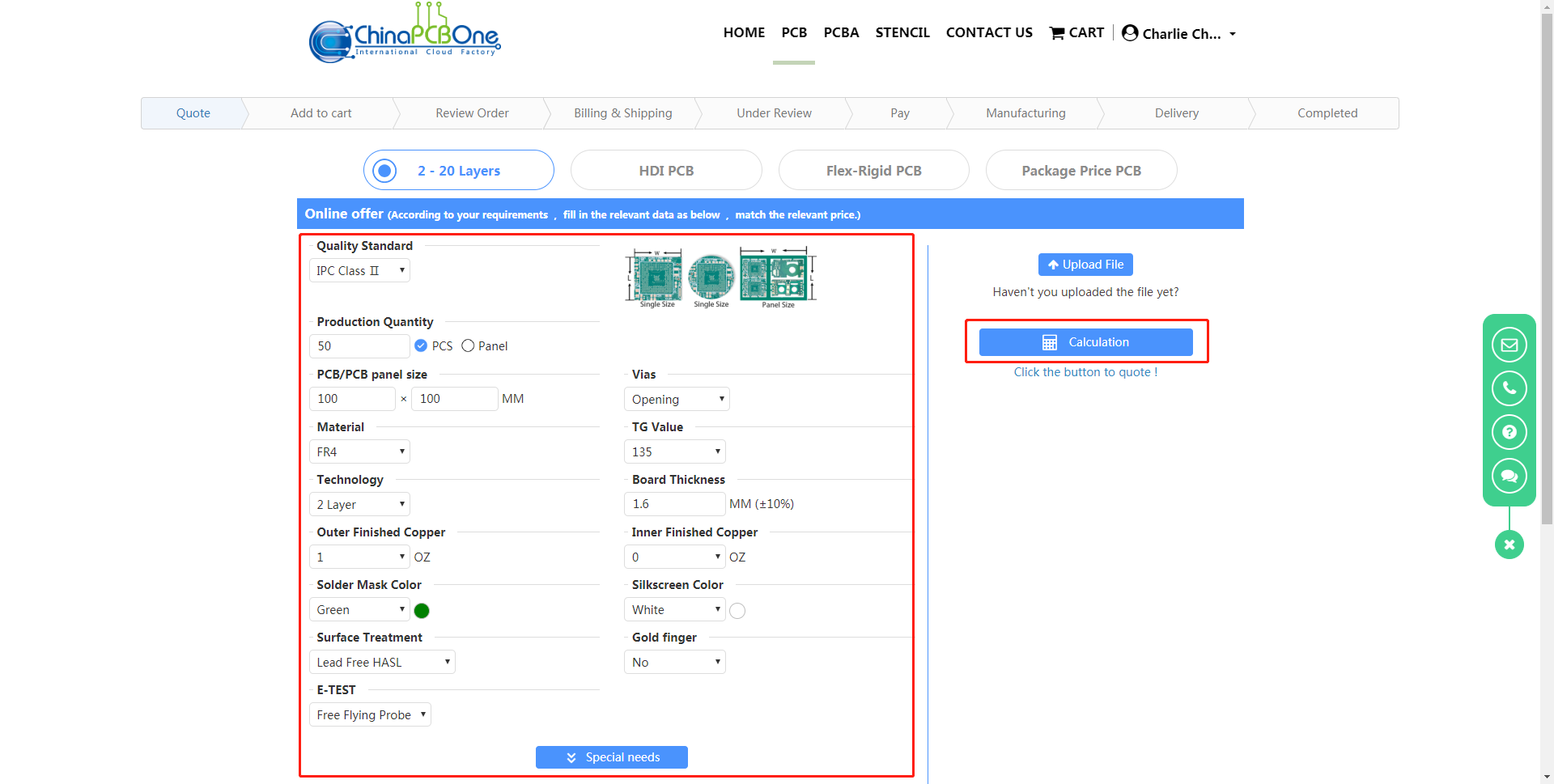
(3) Fill in the order data on the left, then click the "Calculation" button on the right!
-
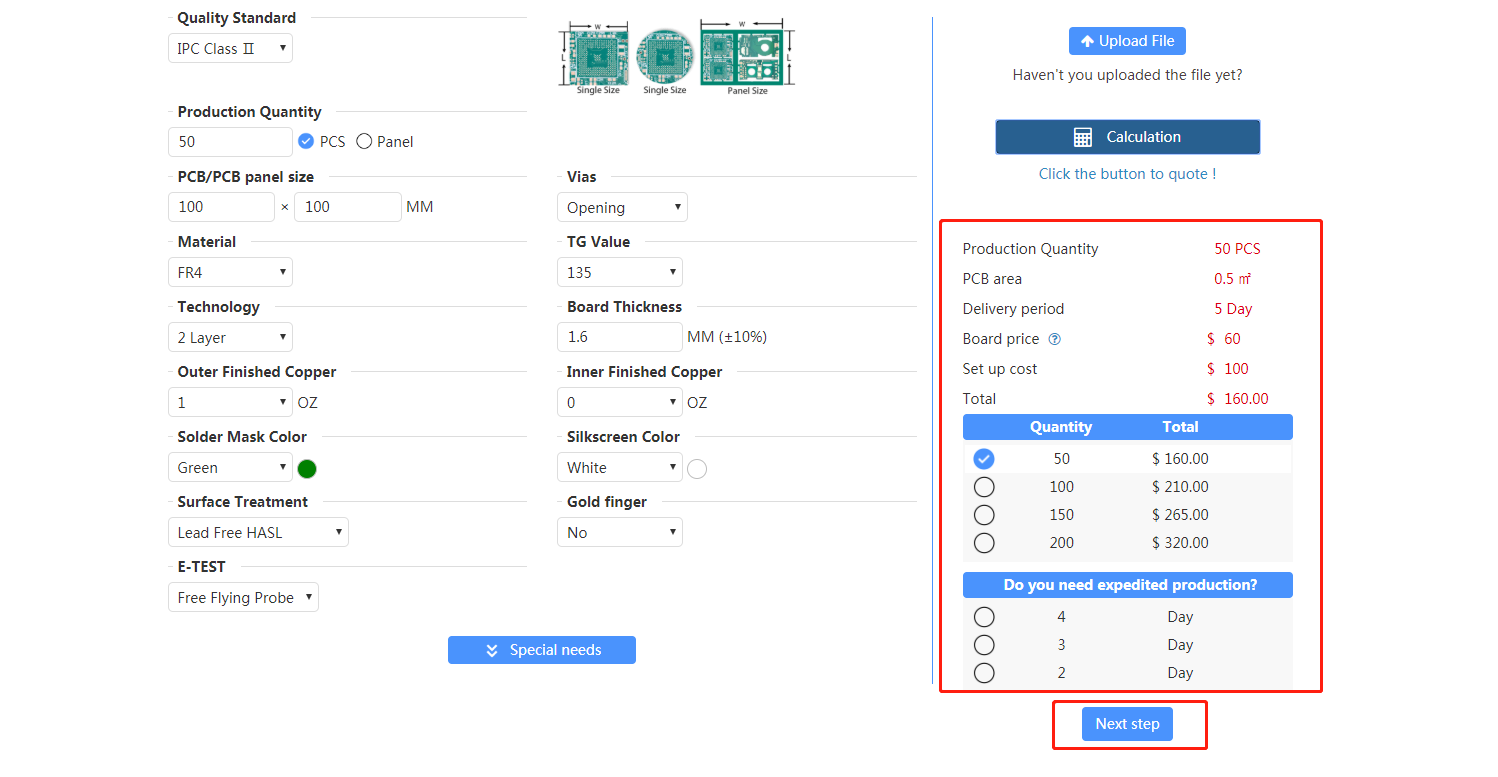
(4) Then the system will give a quote, if you think the quote is reasonable, you can click "Next step"
-
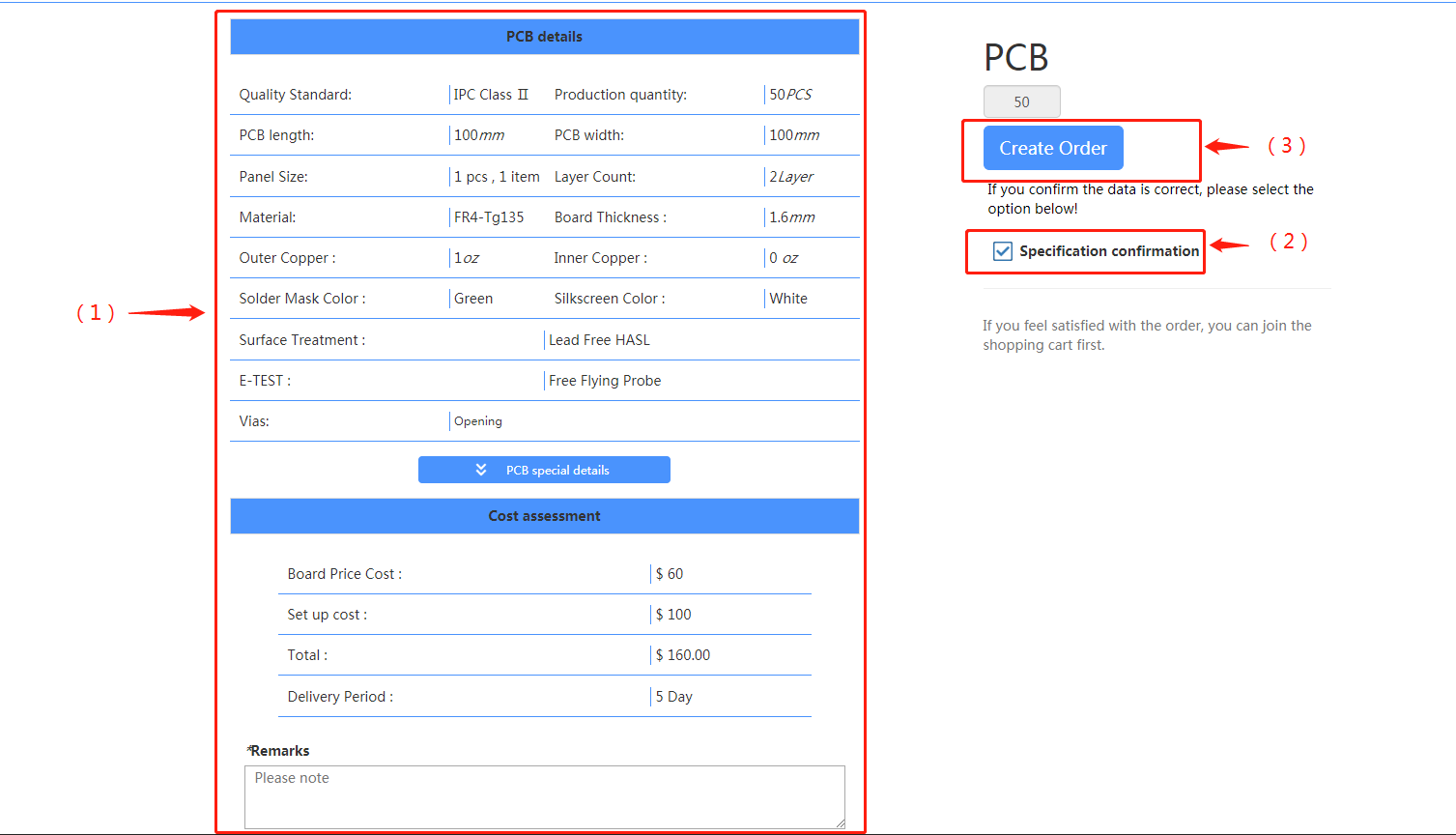
(5) Then you need to confirm the data (step 1), then check the confirmation information (step 2), and then click the "Create Order" button (step 3)
-
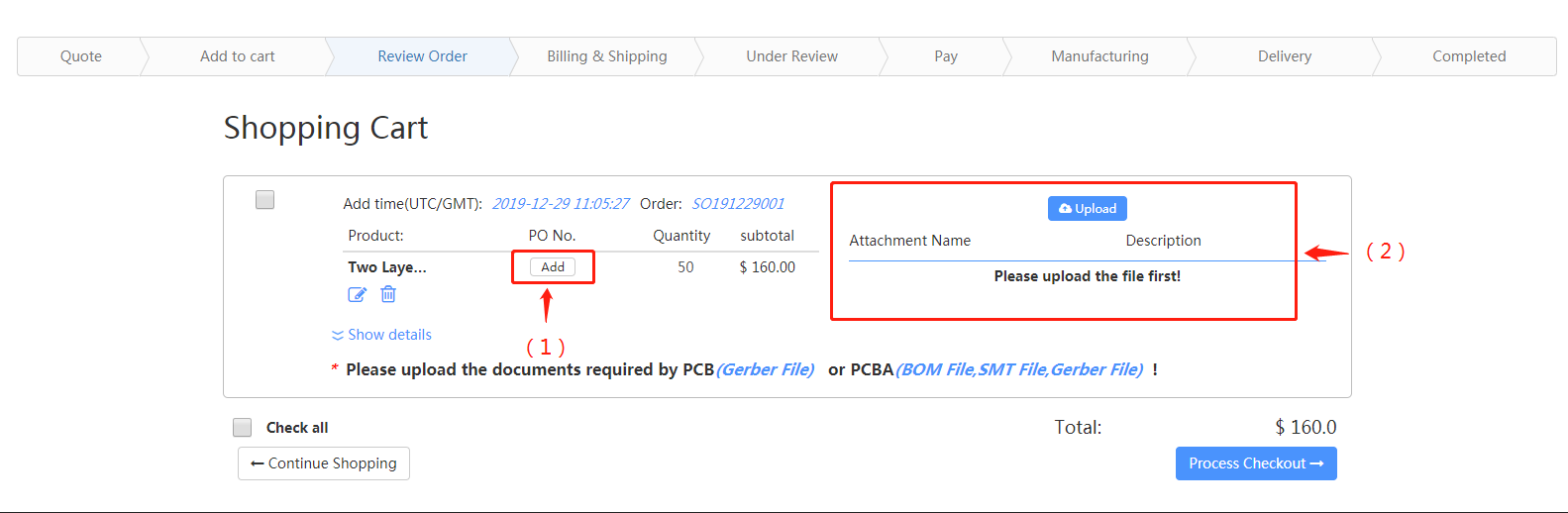
(6) If you have a PO No., click the "Add" button to add your PO No. (step 1); if you have not uploaded the file, please upload the file first (step 2)
-
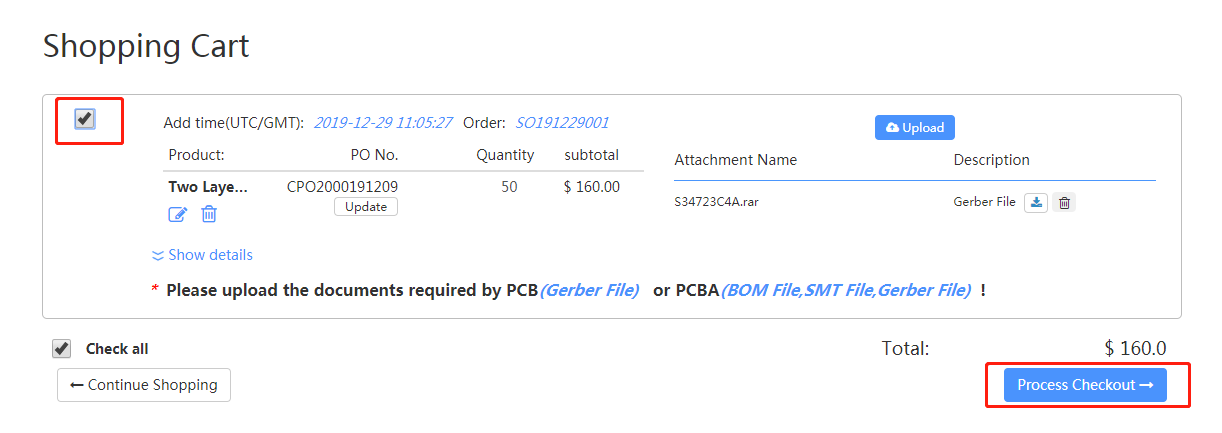
(7) Select the order you want to submit and click "Process Checkout"
-
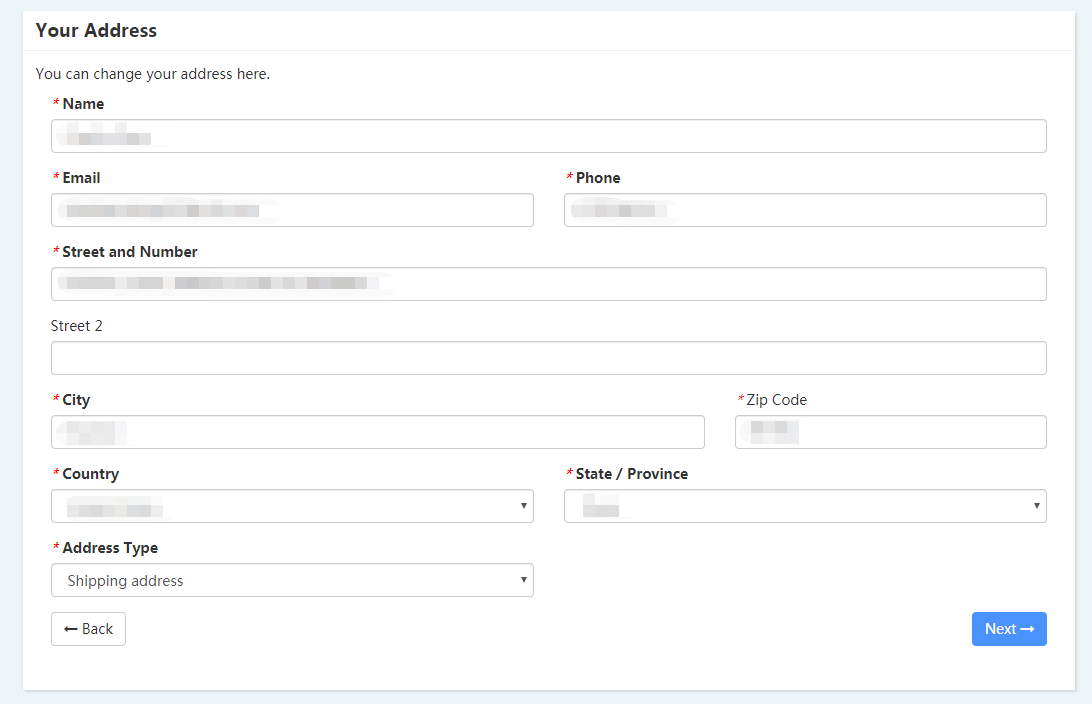
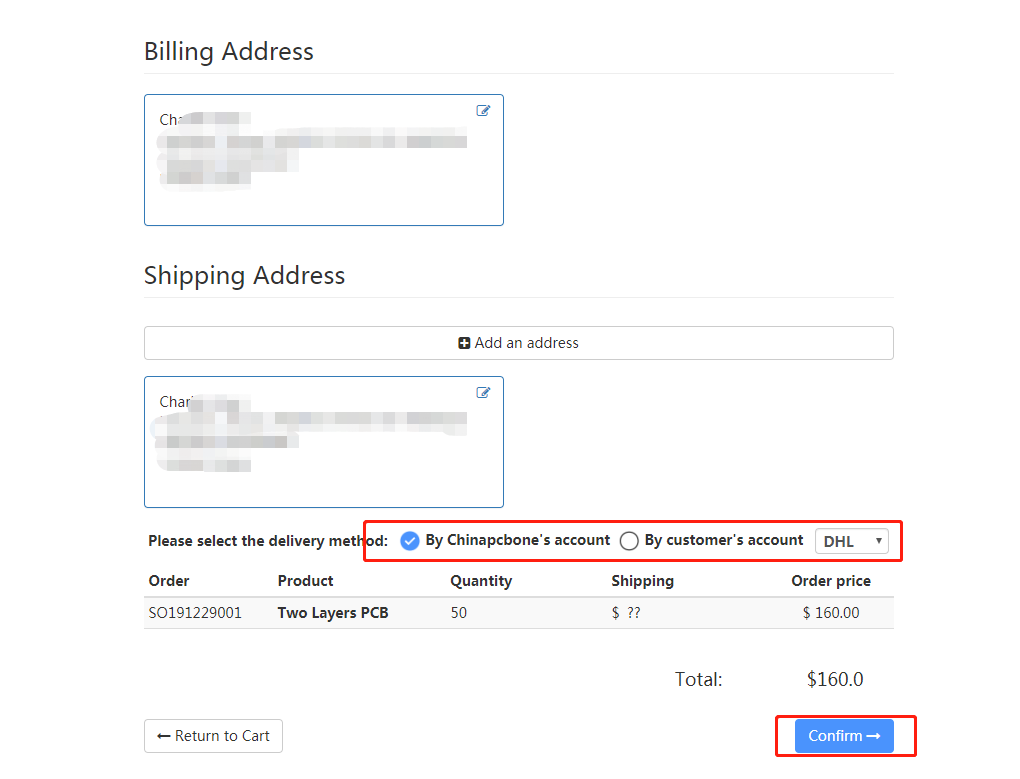
(8) Fill in your shipping address, please be sure to fill in the correct address information!
-
(9) Select the courier method and click "Confirm"
-
(10) Then your order will enter the review status. We will send an email to inform you of the successful review, and send a message notification on the client! Please pay attention to your email!